Straightening bent pins on processors and motherboard sockets in Chalandri
Removed or swapped your processor and now the computer will not start? Often a few bent pins are to blame, either on the processor or inside the motherboard socket. We straighten them one by one under a microscope.
Shop: 12 Kolokotroni St, Chalandri · Mon–Fri 09:00–21:00, Sat 09:00–17:00
Signs that pins are bent
Will not start after a processor swap
The lights come on and the fans spin, but there is no picture.
Missing RAM
The computer sees less memory than it has, or one memory slot does not work.
CPU or DRAM light on the motherboard
The motherboard shows a processor or memory error at start-up.
Processor came out with the cooler
On AMD AM4, the processor stuck to the cooler and was pulled out of its socket.
Dropped processor
The processor slipped, fell on the floor or went into the socket at an angle.
Random restarts
A pin touching slightly off-angle can give an unstable contact.
Where the pins are
It depends on the processor. On AMD Ryzen AM4 and older AMD processors, the pins are on the processor itself, underneath. On Intel (LGA1700, LGA1851 and older LGA sockets) and on AMD Ryzen AM5, the pins are on the motherboard, inside the socket. We handle both cases.
How we work
- We examine the processor and socket under a microscope and find every pin that is out of place
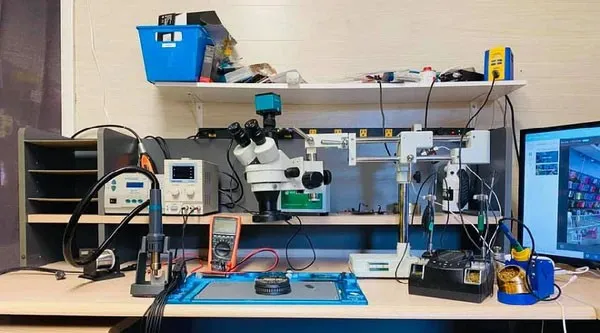
- We straighten the pins one by one with fine tools, without pressing on the neighbouring ones
- We check again that every pin stands at the right angle and spacing
- We fit the processor and test start-up and memory detection
If a pin is broken or missing, we tell you plainly and explain the options before any other work is done.
Until you bring the processor and motherboard in
Do not refit the processor and do not switch the computer on again, so the damage does not get worse. If you still have the plastic socket cover, fit it to protect the socket in transit. Carry the processor in its case or an anti-static bag, with the pins not touching anything.
For other faults see desktop PC repair and motherboard repair.
Frequently asked questions
How can I tell the pins are bent?
Usually the computer will not start after the processor was swapped or cleaned, or it does not see all of its RAM. The only sure answer comes from looking at the socket and the processor with light and magnification.
Can I straighten them myself?
We do not recommend it. The pins are very thin, and with the wrong tool or a little too much force they break. A broken pin is a much harder problem than a bent one.
Do you straighten pins on the processor itself?
Yes. On AMD Ryzen AM4 and older AMD processors the pins are underneath the processor. We straighten them the same way, one by one, and check that the processor sits correctly in the socket.
What should I bring to the shop?
Bring the motherboard together with the processor. If it is easier, bring the whole computer case so that we can also test it after the work.
Will you tell me the cost before you start?
Yes. We first look at the socket and tell you what we found. The work only starts once you agree.
Bent pins? Bring the processor and motherboard in for a check
Call us to describe the problem or drop by the shop at 12 Kolokotroni St, Chalandri. We explain what is needed before any work starts.